
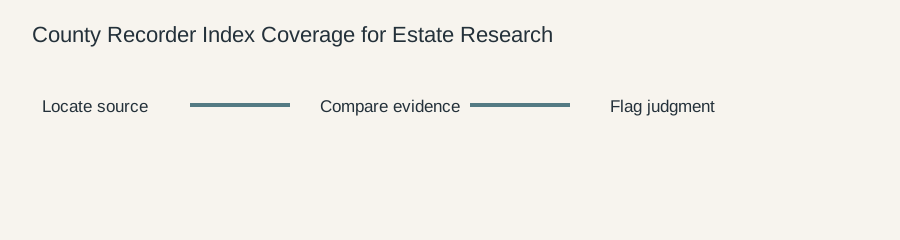
A county recorder index is a map to recorded instruments, not a complete inventory of every property fact. It may show grantor, grantee, instrument type, recording date, book and page, or an instrument number. It may omit images, attachments, historical names, unrecorded interests, or documents held in a separate division. Estate research becomes more reliable when the index is treated as a coverage system with boundaries rather than as an oracle.
The MDLandRec Search Aid Guide was checked as general access context. It does not certify the operation of a particular county portal. Local offices, archival policies, indexing conventions, and recording practices control the search. This article is a research method, not title, legal, tax, or fiduciary advice.
What an index can establish
An index result can establish that the custodian displays an entry with specified fields. It may support: “The county portal lists instrument 2022-1876, recorded May 6, with the displayed grantor and grantee.” That is narrower than: “The decedent transferred valid title on May 6.” The latter requires the underlying instrument and professional interpretation.
Begin with the proposition and expected record family. A property search might ask whether a deed, release, easement, mortgage, affidavit, or probate-related instrument was recorded between two dates. A person search might ask whether the decedent appears as grantor, grantee, beneficiary, trustee, or spouse. Search roles separately. A name appearing as preparer or witness is not the same as a party.
Understand coverage boundaries
Ask which years are online, whether older volumes are image-only, whether the index includes plats and judgments, how entity names are indexed, and whether the office maintains separate federal-lien or land-record series. Note whether a search is limited to the current county name or includes predecessor jurisdictions. A portal may display “all results” while silently limiting a date range or returning only the first page.
Coverage also changes at parcel level. A parcel may have been annexed, subdivided, combined, renumbered, or described under a prior subdivision. A grantor-grantee index will not necessarily find a document when the name is misspelled or the party is an entity with several naming forms. These are coverage questions, not reasons to declare an asset missing.
Worked example: a silent date boundary
Suppose the estate file says the decedent bought a rural parcel in 1998. A county portal returns no deed when searched from 1995 through 2005. The researcher records the zero result, checks the portal’s online coverage statement, and finds that images begin in 2001. The next action is not to conclude that the purchase deed does not exist. It is to search archival volume references, predecessor systems, and the clerk’s document-request process.
Now suppose the portal covers 1998 but indexes the deed under a company name. The tax bill names the decedent, while the deed’s grantor is an LLC. A person-only search misses the instrument. Search the entity name, known managers only as locating clues, and the legal description. Then ask counsel whether the entity’s relationship to the estate is material. The researcher should report the discovery without assuming the decedent owned the entity or parcel.
Search design and reproducibility
Record portal name, endpoint, search mode, date range, exact name form, role filter, instrument type, parcel number, result count, and retrieval time. Take a screenshot or save the response when policy permits, but preserve the official image separately. A search log should allow a second reviewer to repeat the exact query.
Use a sequence: exact party name; name without punctuation; alternate order; entity variants; parcel or instrument number; neighboring dates; and referenced book and page. Do not treat a large result count as evidence of completeness. Narrow it by role, instrument type, or county where possible. If the portal rejects a search term, record the error and try the custodian’s supported form rather than silently changing the query.
Index entry versus instrument image
The image controls the next level of review. It may reveal an alias clause, capacity such as trustee or personal representative, partial interest, reservation, legal description, attached affidavit, or correction language not visible in the index. Retrieve all pages when the instrument refers to an attachment. If only the first page is available, label the result incomplete.
Quote the exact field supporting the finding. “Grantor: Jane Doe” differs from “prepared for Jane Doe.” “Recorded June 4” differs from “dated May 20.” Preserve source spelling and punctuation; add a normalized search form separately.
Cross-checking with non-recorder sources
An assessor record can connect a parcel number to a tax account. GIS can orient the reviewer. A probate docket can explain why a personal representative signed. A tax bill can identify an account holder. None substitutes for the recorded instrument when the question is what was recorded, what land was described, or what capacity the signer used.
When sources disagree, create a discrepancy row. State the two observations, source dates, and proposed resolution. For example, an assessor may show parcel 14-22 while a deed uses Lot 3, Block 1. Retrieve the plat and subsequent split instrument. Do not round acreage, infer a parcel match from the address, or choose the newer label merely because it is easier to search.
Negative evidence and missing records
“No result” has a defined scope. It means no result was found under a particular custodian, index, date range, name form, role, and filter. The statement becomes more useful when those limits are recorded. A missing index entry may reflect a historical volume, separate series, entity name, spelling variation, or a document never recorded. It may also reflect a genuine absence. The log cannot decide which explanation is correct by itself.
If stronger evidence is needed, request a certified search or ask the custodian how to search archival material. Preserve the request, response, and stated limitation. Do not describe an unreturned request as a negative result.
A coverage memo for an estate file
The memo should open with the question and search boundary. List systems searched, years covered, name and parcel variants, record series included, images retrieved, missing attachments, and unresolved gaps. Give one paragraph of documentary findings and another of analysis or next action. This lets counsel see whether the result supports a title inquiry, property lead, or request for more records.
Questions for the custodian or professional
Ask the recorder whether the searched years and series are complete, whether older names or predecessor jurisdictions use another index, and whether attachments are separately retrievable. Ask counsel or title professionals whether the source set answers the legal question, whether a certified search is needed, and whether an unrecorded interest could matter. The researcher’s role is to make those questions precise.
Include the portal’s stated coverage language when it is available. A later reviewer should be able to tell whether a result came from a complete historical series, a current online index, or a limited search interface. That context often explains why two careful searches produce different result sets.
Keep the coverage note with the result rather than in a separate email. That small practice prevents a later reader from treating an old, limited search as a complete historical search.
It also preserves the reason a follow-up request was necessary.
Coverage is part of the result
A recorder result is incomplete without the search boundary. State the years, series, names, roles, parcel identifiers, and image availability. If older volumes are archived or a separate plat index exists, say so. This allows a later reviewer to distinguish “not found in the online index” from “not found after a certified historical search.”
Test an index result against the instrument image
An index row can contain a name, instrument type, date, and number while omitting the vesting language or the parcel call that matters to the estate question. For each promising row, record the fields exactly as displayed, then retrieve the image if the portal allows it. Compare the image to the index for grantor, grantee, capacity, legal description, execution date, and recording stamp. If the image is unavailable, mark the conclusion index-only and identify the custodian or certified-search process that could supply it. This is a stronger evidence chain than treating a search-result screen as the deed itself.
Frequently asked questions
Does a recorder index prove ownership?
No. It locates recorded entries. Ownership and priority require instrument review and professional analysis.
Is a zero-result search evidence that no deed exists?
No. It is evidence only within the documented search boundary.
Why search entities separately from people?
A deed may use a company, trust, or fiduciary capacity rather than the individual’s name.
What should be saved?
The query, result metadata, underlying image, identifiers, retrieval date, source limitations, and unresolved questions.